Adding Free Animated Background Video for Zoom Live Meetings

Are you tired of having a dull and uninteresting background while you are having a meeting on Zoom? Worry no more, because we are offering you the tutorial and the template itself to this beautiful animated Christmas snow background pack.
Click here to download the free animated background video.



Sample Snapshots
Have you downloaded it already? Let us help you set it up.
Once you have opened your Zoom app, click the up arrow beside the Start/Stop Video button.

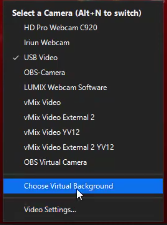
Click on Choose Virtual Background.
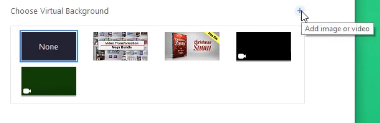
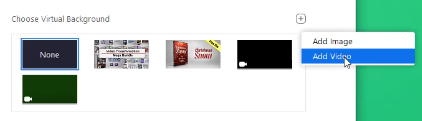
Click on the plus sign to start adding an image or a video, then choose Add Video.
Locate the video you have downloaded, and just select it.
Important Note: If you are using a green screen, don’t forget to check the box “I have a green screen”. This helps reduce or even remove the hard edges displayed on your video when it blends with the animated background video.

There you have it! You can now impress your family and friends by showing off this amazing background video to them when you are conducting a live Zoom call.
Click the video below to watch the full tutorial.