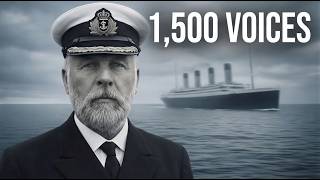
How to create a cinematic documentary with AI (Netflix-style tutorial)
Producing a Netflix-style documentary used to mean a film crew, archival footage budgets, and months of post-production. In this tutorial I show the full workflow for building a cinematic documentary intro entirely with AI — script, voiceover, score, and visuals — using the 1536 Münster Rebellion as the example story.
The output looks like the opening sequence of a serious history documentary. The whole thing was built on a laptop in an afternoon.
Why history documentaries are a massive opportunity
Long-form historical YouTube channels generate millions of views and high RPMs. The bottleneck has always been production cost — until now. AI flips the economics: one person can ship documentary-quality content at a scale that competes with established channels.
Step 1: Find a viral history topic and generate the script
Use the AI Media Machine's research tools to surface historical events that have proven YouTube demand but limited high-quality coverage. The Münster Rebellion is a perfect example — dramatic story, niche audience, almost no good documentaries on it. Generate a script with proper documentary structure: hook, context, escalation, climax, resolution.
Step 2: The script breakdown tool
Paste the script into the Script Breakdown tool. It returns a shot list, an aesthetic guide, and a recommended pacing structure — automatically. What used to be a director's job is now a 10-second batch operation.
Step 3: Generate cinematic AI images in batch
Send the shot list to the image generator. Each shot becomes a still — the burning city, the rebel leader's face, the besieging army. Set a consistent visual style across all of them: muted palette, painterly, 16th-century reference material. Batch generate the full set.
Step 4: Batch-animate every shot in one click
The new batch animation feature is the breakthrough for documentary work. Instead of animating each still individually, send the whole storyboard at once and the model generates motion for all shots in parallel. What was a full day's work is now a coffee break.
Step 5: Manual control for hero shots
Some shots deserve specific cinematic moves — slow push-in on the rebel leader's eyes, slow pull-back on the city in flames. Use Pro Mode for these, set the camera move explicitly, and the model nails the hero beats.
Step 6: Generate the documentary voiceover
This is where AI documentaries used to fall flat. Modern voice models — particularly the deep, measured "documentary narrator" presets — produce voiceovers indistinguishable from a hired voice actor. Paste the script, generate, drop it in.
Step 7: Cinematic background music
Generate an ominous, orchestral score with the music tool. Specify the mood — "spooky, cinematic, historical" — and the model returns a usable track in one pass. Layer it under the narration.
Step 8: Final edit
Premiere Pro for the assembly. Cut the visuals to match the narration beats, layer the score, color-grade for consistency. Final result: an opening sequence that holds up against streaming-platform documentaries.
Beyond documentaries
The same pipeline produces UGC ads, product videos, and explainer content. Different scripts, same toolchain. The AI Media Machine is the platform that wires it all together. 94% off lifetime.
If you'd rather have a team produce documentary or branded content for you, book a free strategy call.