How to make high-converting weight loss ads with AI (no filming)
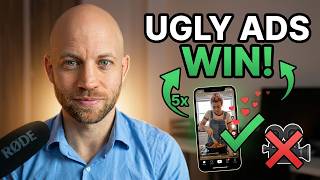
If you've ever tested ads in the weight loss or supplement niche, you already know the rule: polished commercials don't convert. The ads that drive sales look like a phone-camera selfie video shot in someone's kitchen. Imperfect lighting, shaky framing, the woman next door telling her story.
In this tutorial I show how to manufacture that "homemade UGC" look entirely with AI — no actors, no filming, no expensive samples. The trick is intentionally programming imperfections into the model so the output reads as authentic.
Why imperfect ads beat polished ones in the health niche
A glossy commercial reads as "this is a brand selling me something." A grainy phone selfie reads as "this is a real person who tried it." On TikTok, Facebook Reels, and Instagram, the second one wins by a wide margin. Your job isn't to produce something beautiful — it's to produce something trustworthy.
Deconstruct a high-converting reference ad
Start with a UGC ad that's already working in the health niche. Run it through the analyzer to surface the elements: framing (selfie angle), lighting (natural window light), camera quality (slight grain, slight wobble), pacing (slow, conversational).
Step 1: Generate the "phone camera" look
This is the unlock. In your storyboard prompt, explicitly describe the imperfections: slight motion blur, soft focus, natural skin texture, no studio lighting. The AI Media Machine handles this cleanly when you ask for it. Skip these cues and you'll get a glossy commercial — exactly what doesn't convert.
Step 2: Generate a "before & after" character
The model can produce both versions of the same character — heavier "before" and lighter "after" — with consistent face shape, hair, and styling. Same person, different body. That's the visual hook of the entire weight loss ad genre.
Step 3: Animate the supplement preparation shots
Pouring the powder, shaking the bottle, the morning routine. These are realistic "phone camera" b-roll clips. Animate with Pro Mode but keep the camera handheld-style — slight movement, no tripod stability.
Step 4: Selfie-style camera angles
The hero shot is always the testimonial framing — character at arm's length, talking directly into the lens. Generate this in portrait, with the natural window-light look from step 1.
Step 5: Generate trustworthy AI testimonials
Write the script in plain spoken language. Use voice cloning to generate a natural narration — slight stumbles, natural pacing. Lip-sync it to the character. The result reads as a real testimonial, not a brand ad.
Step 6: Edit the final UGC ad
Quick cuts between testimonial framing and supplement prep b-roll. Keep it 30–60 seconds. Drop in subtle background music — quiet, never overpowering. Finished ad ready for testing.
Scale a weight loss ad pipeline
The whole point of this workflow is volume. You need to test 10 versions to find the winner. The AI Media Machine is built for that pace. 94% off lifetime.
If you'd rather have us build the system for your offer, book a free strategy call.