How to recreate viral TikTok product ads with AI (no filming)
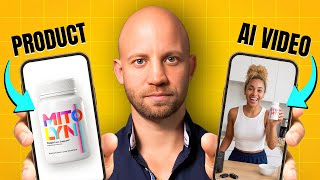
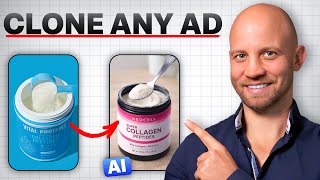
The smartest way to make ads that convert isn't to invent something new — it's to find what's already crushing it and model it with your product. In this tutorial I take a TikTok ad with 2.4 million views (the famous "giant product on a boat" shot) and recreate the whole thing with AI, swapping in a different affiliate product.
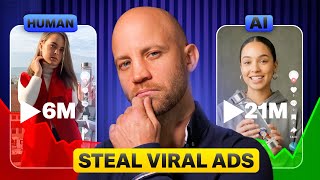
The result is a side-by-side that you'd struggle to tell apart. Same cinematic feel, same camera moves, same pacing — different product. That's the entire affiliate-marketing playbook in one workflow.
Why modeling viral ads beats writing from scratch
Every winning ad solves three problems: hook, visual style, and pacing. A 2.4M-view clip has already solved them. You're inheriting the proof. AI lets you inherit it cheaply, without filming a single frame.
Step 1: Break down the viral ad
Drop the TikTok URL into the AI Video Analyzer inside the AI Media Machine. It returns the shot list, the camera moves, the lighting setup, the color grade — everything you need to rebuild the ad. No squinting at the original at 0.25x speed.
Step 2: Customize the storyboard for your product
Take the analyzer's output, paste it into the storyboard prompt, and modify the product description. Upload your product image (or an affiliate product reference) and the model carries the same look across every generated shot. Same boat, same lighting, your bottle.
Step 3: Animate the shots with the original camera moves
Each storyboard frame becomes an animated clip. Specify the camera move from the original — push-in, dolly-out, slow rotation — and the AI replicates it. The trick: when a shot doesn't generate cleanly, reverse the clip in Premiere. A reversed pour looks like a fill, a reversed zoom feels like a reveal. Tiny edit trick, huge realism boost.
Step 4: Replicate the exact shot order
Match the cuts of the original. If the viral ad opens on a wide and cuts to a macro at 0:03, do the same. The pacing is part of why it went viral — preserve it.
Step 5: Final edit in Premiere Pro
Stitch the clips together, drop in AI-generated music that matches the original vibe, and you have a finished ad. Total time: an afternoon. I show the side-by-side at the end of the video — you can decide which one was filmed and which one was AI.
Scale this into a content engine
Modeling one viral ad is a tutorial. Modeling 50 a month is a business. The AI Media Machine is the system I built for exactly that — analyze, storyboard, generate, animate, edit, all in one platform. 94% off lifetime.
If you'd rather have a team run the engine for you, book a free strategy call.