
The World’s Most Powerful, Yet Simple-To-Use Doodle Video Creator

Please Watch This Video Explanation I Made For You To Find Out What You
Get As A BlueFx Member:
image-1
Have you ever seen those little “doodle videos” before? I’m talking about the kind that shows a hand, drawing an image on a video.
BONUS (worth $249)
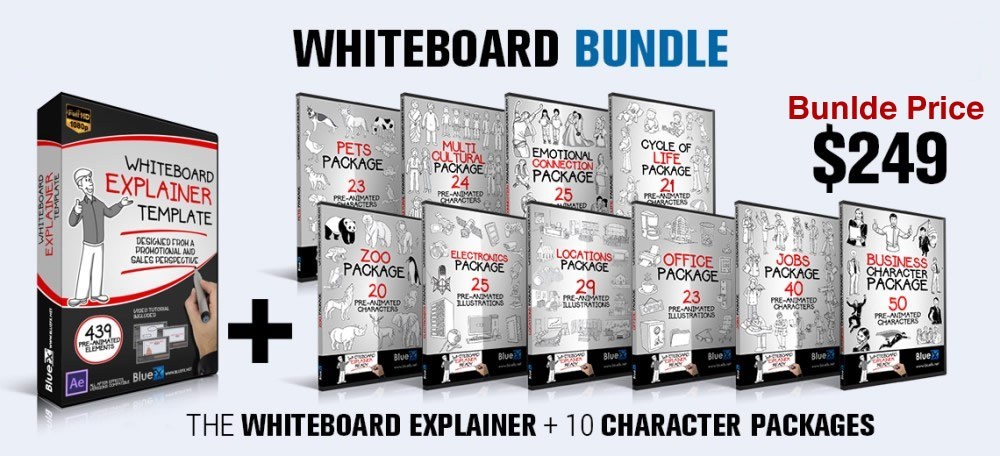
As an Exclusive BlueFx Member Bonus, you will receive the Full Whiteboard Explainer Bundle, containing the Whiteboard Explainer After Effects Template along with TEN character packs.
Bluefx Whiteboard Explainer Bundle (worth $249) for FREE!
Yes! It is compatible with Doodly, you can import all images and drawings directly into Doodly.  After you purchase one of the annual plans from Doodly, just email your invoice to support@bluefx.net
and we will send you your bonus bundle.
After you purchase one of the annual plans from Doodly, just email your invoice to support@bluefx.net
and we will send you your bonus bundle.
What’s new in this version of Doodly?
– Audio Recording Inside of Doodly while video plays – Dual sound options (one for voice, one for audio) – Ability to clip audio and fade out – Screen panning options and eraser options – Color for All doodle animations (aka the marker color) – More hand options and no hand options – And bunch of other minor things like duplicate, copy, select the way it exits frame, etc.
You Can Make Whiteboard & Blackboard Video’s Within Minutes!
Doodly is an amazing software application that allows the user to quickly and easily create both whiteboard and blackboard doodle videos. The Doodly software is downloaded right to your desktop and is compatible with both PC and Mac computers, so there should be no compatibility issues.
Take a look at the video below to see exactly what Doodly can do…
(This video will open in a new window)

Customize Videos To Promote Anything!
Doodly gives you a simple yet powerful interface where you can build videos that are designed to promote whatever product you want. Doodly gives you all the tools you need to create stunning blackboard and whiteboard style doodle animations.
Is Doodly simple to use?
The idea of Doodly is to make creating videos extremely simple! You simply drag and drop backdrop scenery, characters in various poses, props, logos, arrows and many other items directly onto the work area. You can also upload your own images too! Once you have your images, you can add sound and music to the animation too. Everything in Doodly can be re-sized or altered to best fit your animation at the click of a mouse. The software then takes over, producing amazing high-quality sketch animations that until now would have cost a fortune to have made.
Let’s take a look at how easy Doodly is to use
The Doodly interface couldn’t be easier to navigate. At the top of the screen, you will see options to add Scenes, Characters, Props, Text and sound.
You simply drag, drop and resize the item that you want to work with…
 You can then add props or anything else from the huge catalog of ready drawn images.
 Doodly then converts your images into a stunning sketch animation.
 You’ve seen an example of whiteboard animation.
But what if you prefer blackboard animations?
You’ve seen an example of whiteboard animation.
But what if you prefer blackboard animations?
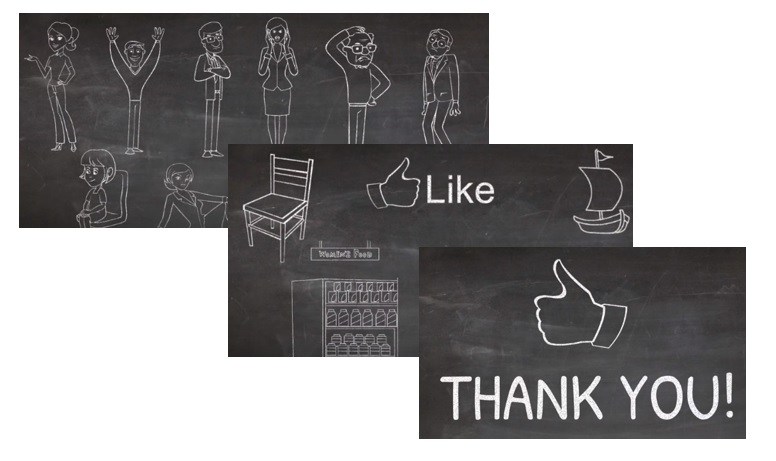 Want to make text animations? No problem!
Animate text to both whiteboard and blackboard.
Want to make text animations? No problem!
Animate text to both whiteboard and blackboard.
 Making animated instruction, tutorial or promotional videos just got really easy. You can even upload your own images and set a “draw path” so that the end result looks as though it has been realistically drawn. You can combine as many scenes as you like with your video and overlay text as you wish. But what about the finished result?
Saving and exporting your videos with Doodly
Once you are happy with the way that your video is looking you can then export your video for use on the internet. The great thing about Doodly is that you can produce amazing high-quality Full HD results with this software of up to 1920×1080 resolution. You can even adjust the frame rate for total perfection in your end result…
Saving your videos for use on your website or on YouTube couldn’t be easier. Simply export and select the quality level that you want to produce.

To keep customer service levels high and due to the high volume of people that are waiting to download this software, Doodly is only going to be available at the discounted price. I apologize if the discount offer of this software has closed by the time you reach it. However, if you are interested in purchasing and downloading this software, you should definitely take advantage of this fantastic discount offer. Click the link below to get access to Doodly.
Limited Time Discount On The New Doodly For Bluefx Members Only! (Expires, Friday, July 06th 23:59 PST)


