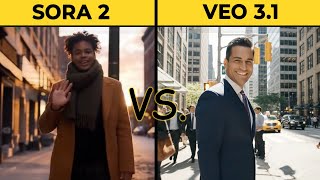
Create seamless long AI video — the Google Veo workaround
Generating long, cinematic AI video with the standard tools is borderline impossible. Google Veo (V3) inside Gemini caps you at 8 seconds per clip, slaps watermarks on paid plans, and limits you to 3 generations per day. Try to make a 30-second narrative scene with character continuity and the standard tools punish you.
In this video I show the three-step workaround that bypasses every limitation and produces seamless 20-second clips with locked character consistency.
The Google Veo limitation problem
Veo's hard cap on clip length is the real ceiling. Eight seconds isn't enough for a hook, a beat, and a payoff. Add the watermark and the daily quota, and you can't actually ship a polished long-form scene with the consumer tool.
The solution — extended workflow inside the AI Media Machine
The trick is frame-stitching. Generate a clip, capture its exact final frame, and use that frame as the starting frame of the next clip. Repeat. The character's pose, the lighting, the environment — they all carry forward because you're literally feeding the model the last frame of the previous shot.
Step 1 — Start the image-to-video generation
Begin with a strong reference image. Define your camera move — dolly in, slow pan, handheld follow. Generate the first clip in full HD, no watermark, up to 20 seconds.
Step 2 — Generate and download the first smooth clip
Render. Download. Open it in any video tool. Pause on the final frame.
The secret — snapshot the exact last frame
Take a snapshot of the last frame at full resolution. This is the bridge image. The closer the snapshot to the actual last rendered frame, the more invisible the seam.
Step 3 — Use the snapshot as the next starting frame
Drop the snapshot into the next image-to-video generation as the start frame. New camera move, new action, same character, same environment. Render the second clip.
Piece the clips together for perfect transitions
Cut the two clips back-to-back on a timeline. The seam disappears — same character, same lighting, continuous motion. Repeat the process for as many clips as you need. Twenty-second base clip plus three stitched extensions = an 80-second cinematic scene with no visible cuts.
Bypass watermarks and generation caps
The whole pipeline runs without Veo's watermarks and without daily generation caps. You're not waiting for Google to lift the limit — you're routing around it.
Try the workflow
The frame-interpolation workflow is built into the AI Media Machine. 94% off founding-member lifetime deal — ship your first long-form cinematic clip this week.