I recreated this 13 million view Facebook video with AI (and added my product)
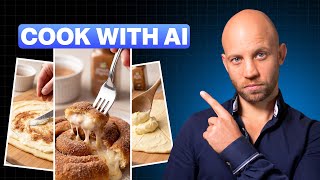
A Facebook video racked up 13 million views in two days — animated berries, olive oil, and other ingredients explaining their health benefits in cute character voices. In this tutorial I recreate the entire thing with AI, drop in my own product (a Simply Organic cinnamon bottle) as a new character, and give every animated character perfect lip-sync — something the original didn't even have.
This workflow turns viral animated content into branded content. Same vibe, your product on screen, faster turnaround than the original team had.
Why character ads convert
Talking-product videos work because they personify what you're selling. A bottle of olive oil delivering its own pitch is more memorable than a 30-second voiceover. Animated character ads have been crushing it on Facebook for two years — and AI just made them trivial to produce.
Step 1: Analyze the viral structure
Run the original video through the AI Media Machine analyzer. It surfaces the structure: how many characters, screen time per character, dialogue cadence, transitions. That structure becomes the blueprint for your version.
Step 2: Build a storyboard with your product as a new character
Generate a storyboard that includes your product as one of the talking characters. Upload a product reference image — the model carries the same cartoon style across berries, olive oil, and your cinnamon bottle. Consistency is the whole game.
Step 3: Extract individual character shots
Each character gets its own animated clip. I show how to isolate the berries, then olive oil, then the cinnamon bottle, generating a clean shot per character so you can tune each one without re-rendering the whole scene.
Step 4: Animate each character with Pro Mode lip-sync
This is the upgrade over the original. The viral video had narration playing over static animation. With Pro Mode, you generate a voiceover, paste in the script, and the AI animates the character's mouth to match — frame-perfect lip-sync. Same trick for all three characters: berries, olive oil, cinnamon bottle.
Step 5: Music and final assembly
AI-generated background music to match the upbeat, slightly playful vibe of the original. Then a Premiere Pro edit — quick cuts, character reveals, product money shot at the end. The final cut is shorter than the original and higher production quality.
The result: viral structure, your product, better lip-sync
Side by side, my version holds up against a 13M-view ad. The cinnamon bottle gets the closing line. That's how you turn a viral format into branded reach.
Build your character-ad pipeline
Cloning one viral video is a stunt. Cloning a new one every week is a business. The AI Media Machine is the platform that makes that pace realistic — 12 apps wired together so character ads stop being a 3-week project. Get lifetime access.
If you'd rather hand the whole thing off, book a free strategy call.