I Cloned a 29 Million View Cooking Video With an AI UGC Actor
A one-pan chicken and potatoes cooking video hit 29 million views and 1.6 million subscribers. Here's exactly how I cloned it scene by scene, swapped the chicken for beef, replaced the actor with a new AI UGC character, and gave her a cloned voice, all without touching a camera.
The original vs. the clone
Here's the original video, the one that pulled 29 million views:
And here's the cloned version, same structure, new AI actor, beef instead of chicken:
Watch them back to back. Same pacing, same hard cuts, same close, and a completely different actor and ingredient. Here's exactly how it was built.
You're not cloning the video, you're cloning the structure
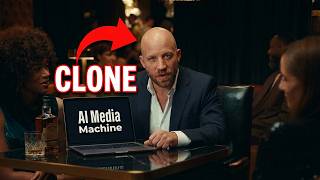
The whole idea behind Clone Studio, inside the AI Media Machine, is that you're never copying someone's video pixel for pixel. You're copying the structure that already works: the pacing, the shot order, the hard cuts that keep 29 million people watching. Then you drop in your own product, your own actor, and your own voice.
Step-by-step: how the clone was built
1. Paste the link, get every scene broken down
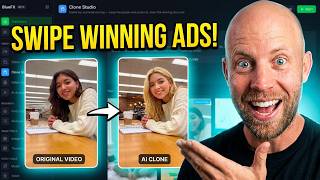
Drop a YouTube or TikTok link into Clone Studio and it pulls the full transcript, then breaks the video into every individual scene, each shown next to the matching moment in the original. No guessing what happens where.
2. Swap the ingredient with one sentence
The original video uses chicken. I like beef more, so for the first shot I typed "replace the piece of raw meat with a piece of raw beef." The AI regenerated the image with the same pan, same lighting, same framing, just a different cut of meat. For scenes where I wanted more precision than a text prompt alone could give, I uploaded a reference image of the exact beef cut and the AI matched it exactly instead of guessing.
3. Let the AI prefill the animation prompt
Once the image looks right, the next step is animating it. You don't have to write the motion prompt yourself. The AI already reads what's happening in the original scene (a hand dropping meat into a dish, sauce being poured) and prefills the animation prompt to match. You can edit it or leave it as is, then click reanimate.
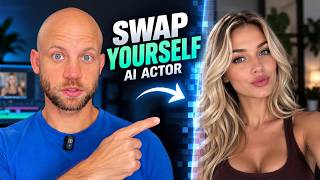
4. Swap the actor and keep her consistent
This is the most interesting part. For the UGC shots, I uploaded a description of a new actor: a blonde woman with blue eyes wearing a fitted red dress. The AI generated her in the first scene. The trick to keeping her identical across every later scene is re-uploading the image you liked as a reference for the next shot. If you just describe "the woman in a red dress" again from scratch, the AI might generate a slightly different dress each time. Feed it the actual image back in, and it locks onto the same face, hair, and outfit every time.
5. Make her say specific lines
Whatever you put in quotes in the prompt becomes the line the character says in that clip, lip-synced to match. The AI prefills a suggestion based on the original video's script (in this case, ingredient callouts like "you'll need olive oil"), but you can rewrite it completely.
6. Keep clips short and cut what doesn't work
The original video uses fast, hard cuts, most shots run 2 to 3 seconds. That's on purpose. For a 30-second video, you don't need long takes, you need rhythm. If part of a generated clip doesn't look right (in one shot the ketchup poured a little too liquid for my taste) just trim it in the edit instead of regenerating the whole scene.
7. Clone a consistent voice for off-camera narration
Some shots in the original don't show the actor's face, just her hands preparing food, with her voice narrating over the top. To match that, export about 10 seconds of the actor's voice from one of the on-camera clips (repeat the same line a couple of times if you need more length), save it as an MP3, and upload it to the voice cloning tool inside the AI Media Machine. Once cloned, paste in whatever script you want narrated, adjust the speed if the pacing needs to be quicker, and generate a voiceover that matches the character's voice in every off-camera shot.
8. Download and edit
Every scene downloads individually, so you can drop them into Premiere Pro, or whatever editor you use, and assemble them in order. The app can also render everything into one finished video automatically if you're in a hurry, but for a polished result, editing the individual clips yourself gives you more control over pacing and cuts.
Why clone a proven video instead of starting from scratch
The creator behind the original video has 1.6 million subscribers and 29 million views on this one video alone. She knows what keeps people watching. Cloning her structure means you're not gambling on pacing, hook, or shot order, you're reusing a pattern that's already been tested on a massive audience, and just changing the product and the face.
Try it
Get the AI Media Machine at 94% off — lifetime access and try Clone Studio on a video in your own niche. Or if you'd rather have someone else build it for you, book a free strategy call and we'll handle production.