She Isn't Real: How I Cloned a Winning UGC Ad With an AI Actor
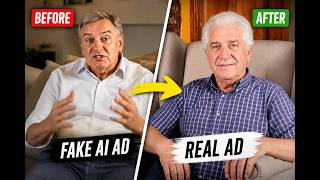
"You can't tell, can you? Look closer. I'm not a human. Everything here is AI." That's the opening line of an ad I built, delivered by a UGC creator who doesn't exist. She holds a perfume bottle, describes the scent, walks down a street talking to camera, and sells the product like any influencer would.
Here's the finished ad:
And I didn't write a single complicated prompt to make it. I swiped an ad that was already working, and rebuilt it with my own actor.
Why cloning beats creating from scratch
Here's the number that should change how you think about ad creative: only about 4% of ads are actual winners. Make 100 ads and roughly 4 will perform. That's the game everyone's playing when they start from a blank page.
Copywriters solved this problem decades ago with swipe files. You don't write a sales letter from nothing, you start from one that already sold. This is the exact same idea applied to video creative. Instead of guessing at hooks and pacing, you take an ad that is already blowing up in your niche and rebuild it with your product and your actor.
The ad I swiped for this build was a Facebook reel selling a UGC membership. It's well made, the pacing is tight, and the hook is strong, which is exactly why it was worth cloning. You can watch the original reel here.
The build, scene by scene
1. Paste the link into Clone Studio
Copy the link to the ad, whether it's on Facebook, YouTube, or somewhere else, open Clone Studio inside the AI Media Machine, paste it in, and hit break it down. It pulls the full transcript and splits the ad into every individual scene, so you can see the structure that makes it work.
2. Swap the actor with plain English
For the opening shot I wanted a different person, so I typed exactly this:
Make the girl blonde with blue eyes, but make sure that she looks natural, similar to the woman in the reference image. Also switch up the background a bit so it's a different location and remove all the text. No text should be shown on the image.
No prompt formulas, no special syntax. Three things are happening in that prompt, and each one matters:
- A different person, because you're swiping the structure, not stealing the creator.
- A different background, so the result isn't an identical copy of the original.
- No text in the image, which is the tip most people miss. Never let the AI bake text into the frame. Add your captions at the end in your editor, where you control the wording and timing.
3. Lock the character so she stays the same
This is the most important step in the whole process. Once you generate a character you like, download that image and re-upload it as a reference for every following scene. Same prompt, same reference image, every time.
Because the AI is matching an actual photo instead of re-interpreting a text description, her face stays consistent across the entire ad. Skip this and you get a slightly different woman in every shot, which instantly breaks the illusion.
4. Write what she says
Whatever you put in quotes becomes the line she delivers, lip-synced. The AI prefills the motion description by reading the original scene, so most of the work is already done. You just replace the quoted line with your own copy: "I'm not a human. Everything here is AI."
Keep clips short. Three seconds for a quick phrase, four or five for a longer one. Ads live on pace.
5. Add natural motion
One small detail that makes a big difference. For the walking shots, I described it explicitly: the woman speaks to the camera, she's holding the camera as she is walking naturally while she's speaking. That one sentence gives you the handheld walk-and-talk motion that makes UGC feel real instead of staged.
6. Change the small details too
In one shot the original actor had brand text on her clothing. I told the AI to change it: the text on the clothes should say a different brand. I didn't even specify what, I let the AI invent something. Small swaps like this keep your version distinct from the original.
7. Beat the original where you can
One shot in the source ad had no lip sync, just a voiceover over the visuals. My version generated it with proper lip sync and matched motion, and honestly it came out better than the original: "I can hold this perfume and describe the scent like I've worn it for years."
8. Download and cut
Download each clip, then assemble them in whatever editor you like. Premiere Pro for me, but this is a simple edit, just clips in sequence. The AI Media Machine can also assemble the whole thing automatically with background music if you'd rather skip editing entirely. I do it manually because when I'm putting real ad spend behind a video, I want every cut exactly where I want it.
The swipe library
You don't even have to go hunting for ads to clone. There's a library of proven, high-performing ads built into the platform, ready to swipe. That's the whole philosophy: stop guessing, start from what already works.
Try it
The AI Media Machine is currently available as a lifetime deal at 94% off. Pay once, no subscription, no monthly fee, while the founding promotion lasts. Or if you'd rather have the ads built for you, book a free strategy call and our team will handle the whole pipeline.