I Cloned the "Most Interesting Man in the World" Ad and Put Myself In It
The Dos Equis "Most Interesting Man in the World" ad pulled over 29 million views in four months. I rebuilt it with my own face, my own product, and my own music, and the whole thing took less than an afternoon.
Here's the original:
And here's my version, same gag, different product, different guy:
All of his ads are AI generated. He launches campaigns on Friday afternoon and sleeps like a baby. His first take is the final cut. Deadlines ask him for extensions. He is still the most interesting marketer in the world. I don't always make ads, but when I do, I use the AI Media Machine. Stay creative, my friends.
No actors, no Ford Mustang rental, no mountain painting session, no tightrope between two skyscrapers, no ski jump. Here's exactly how it was built.
15 shots in 30 seconds
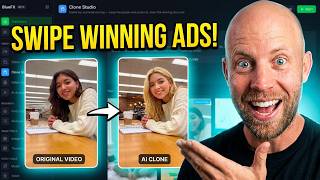
Paste the ad link into Clone Studio inside the AI Media Machine, hit break it down, and it analyzes the whole thing: full transcript, every visual, and every individual scene.
The first useful thing it reveals is the structure. This 30-second commercial contains 15 separate scenes, which works out to roughly two to three seconds per shot. That relentless pace is a big part of why the ad works, and you'd never map it that precisely by eye. The AI does that work for you before you change a single frame.
Putting myself in the ad
The opening shot has a man painting on a mountainside. I wanted to be that man, and I wanted the on-screen text to be mine.
Both happen in one plain-English prompt. No Photoshop:
Change the text to BlueFx presents the most interesting marketer in the world. Make sure you use the logo that I am attaching, but the color of my blue logo needs to be red just like the two X characters on the original image. And make sure that you replace the main man with the man from the reference image.
I hit the reference button, uploaded my logo and two photos of myself, and generated. It understood all of it and kept the entire visual identical: same composition, same lighting, same mood. Then one click to animate, and the AI wrote the motion prompt itself by reading what was happening in the original scene (he continues to make brush strokes on the canvas with his right hand).
That same one-line approach handled the rest: the man in the painting needs to be replaced with the man from the reference image, and so on through the ad.
Swapping props, and keeping them consistent
One shot has a car speeding past. I didn't want the same car, so:
Replace the brand of the car with a red 1965 Ford Mustang convertible.
Done. The AI handled the camera motion and the dust particles on its own.
But here's the step that matters most. A later scene shows the character driving. If I'd just described "a red Mustang" again, I'd have gotten a slightly different car. So I downloaded the Mustang image and uploaded it as a reference for that scene, along with my face. Now the AI knows exactly what it's working with, and the same car appears in both shots.
That's the core principle for anything recurring in your ad, faces and props alike: generate it once, then feed that image back in every time it appears.
The music, and why you must not copy it
Every good ad has a track, and this one's is iconic. But do not try to recreate the original music. You'll get flagged by YouTube's copyright system, and rightly so.
Clone Studio handles this properly. When it analyzes the ad, it gives you three written descriptions of the music's tone and feel. Copy one of those into the built-in music generator, and you get an original track with a similar vibe and none of the legal problem. I ran a few iterations until the mood felt right. It even lands exactly on "my friends" at the end.
Making him talk
For the hero shot (the one with the laptop where the original had the beer), whatever you type in quotes becomes the spoken line, lip-synced:
"I don't always make ads, but when I do, I use the AI Media Machine."
I set that one to seven seconds because it's the longest line in the ad. Everything else stayed around three. The closing shot was even simpler: the AI had already written the prompt, so I just changed "thirsty" to "creative" and hit reanimate. Stay creative, my friends.
Voiceover and final assembly
The narration running over the visuals gets the same treatment. Copy the transcript, open the voice tool, paste it in, pick a character voice, and generate. I went with a deeper, more theatrical one to match the original's tone.
Then download every shot, drop them into your editor in order, add the voiceover, balance the audio, and export. I use Premiere Pro but this is a simple assembly job, any editor works. Everything is already made by that point, you're just putting the pieces in sequence.
Why start from a proven ad
This is the whole argument. That Dos Equis campaign already proved it holds attention across 29 million views. Cloning its structure means you're not gambling on pacing, shot order, or comedic timing. You're keeping what's proven and swapping in your product, your face, and your message.
The AI Media Machine is currently available as a lifetime deal at 94% off, pay once with no subscription, while the founding promotion lasts. And if there's an ad you'd like to see recreated, tell me in the comments on the video. If you'd rather have my team build your ads for you, book a free strategy call.